Add your badge
The Badge puts your handle, your platform badge or your logo on the video, so people know where the clip comes from.
Show the badge#
- Open the Badge tool.
- Turn on Show the badge.
- Type the channel handle, for example gotaga.
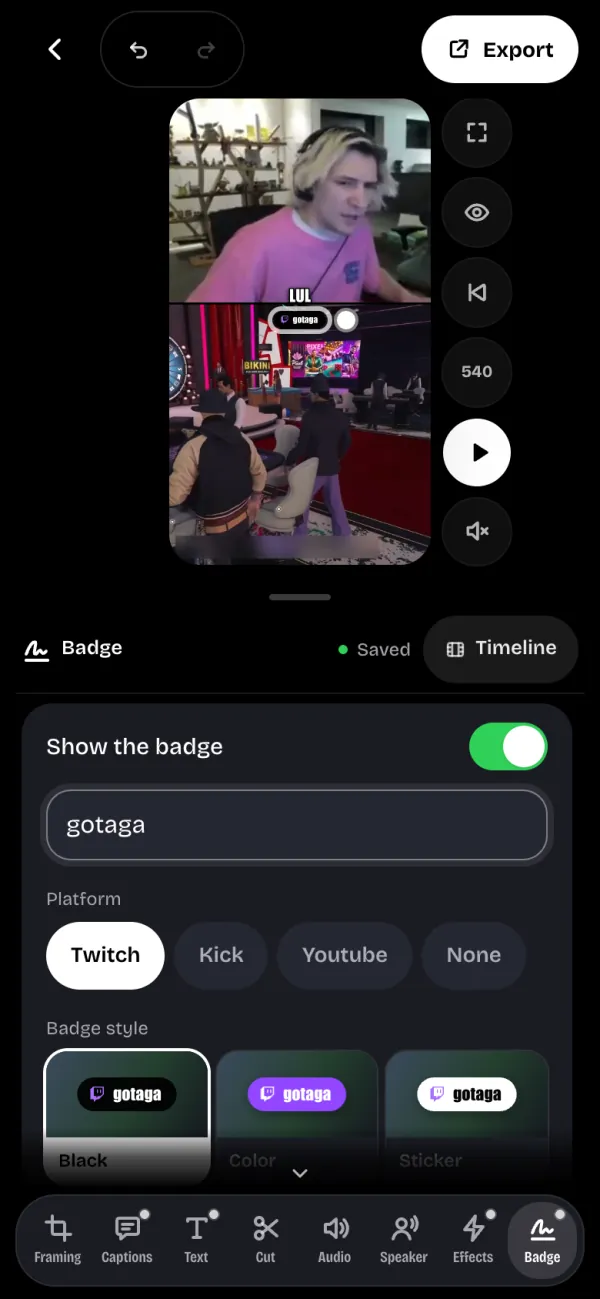
Pick the Platform to show its badge, or None. Add a logo puts your image in place of the badge, and Remove the logo takes it off.
Style, size and place#
The Badge style offers five looks: Black, Color, Sticker, Outline or Text only.
On the preview, drag the badge to place it, and the white dot to make it bigger. The Size setting does the same with a slider.