Make your first clip
Paste a Twitch or Kick clip link: the studio finds the cam, reframes the gameplay to 9:16 and opens the clip, ready to adjust.
Open a clip#
- Go to the studio: spclips.com/app.
- Paste the clip link into the Twitch or Kick clip link field, or tap Paste.
- Tap Open clip.
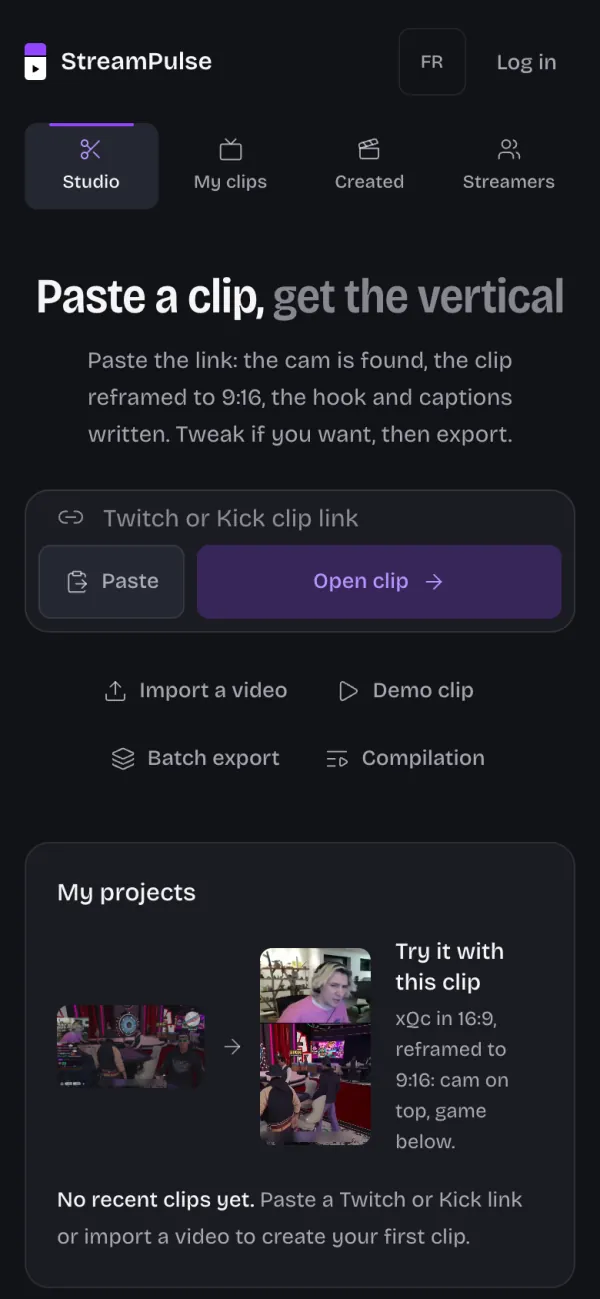
If your browser blocks pasting, paste the link into the field with a long press, then Paste.
You need a clip link, not a channel link: with a channel link, the studio asks you to paste a clip link instead.
Import your own video#
Tap Import a video file, then pick the video from your camera roll or your computer.
Try the demo clip#
No clip at hand? Tap Use the demo clip to explore the studio.
What happens next#
The studio looks for the streamer's cam, reframes the gameplay and composes the 9:16. You adjust what you want, then you export.
- Resume last clip reopens the clip you were working on, and your recent clips are under My projects.
- No account is needed to start: without a plan, the export is 720p with the StreamPulse watermark.