Account, trial and plans
You don't need an account to start. It is there to start the trial, take a plan and find your settings everywhere.
Sign in#
- Open the sign-in page: spclips.com/login.
- Tap Continue with Google, or type your address in Email address and tap Get a code.
- Enter the 6-digit code in Code from the email, then tap Sign in.
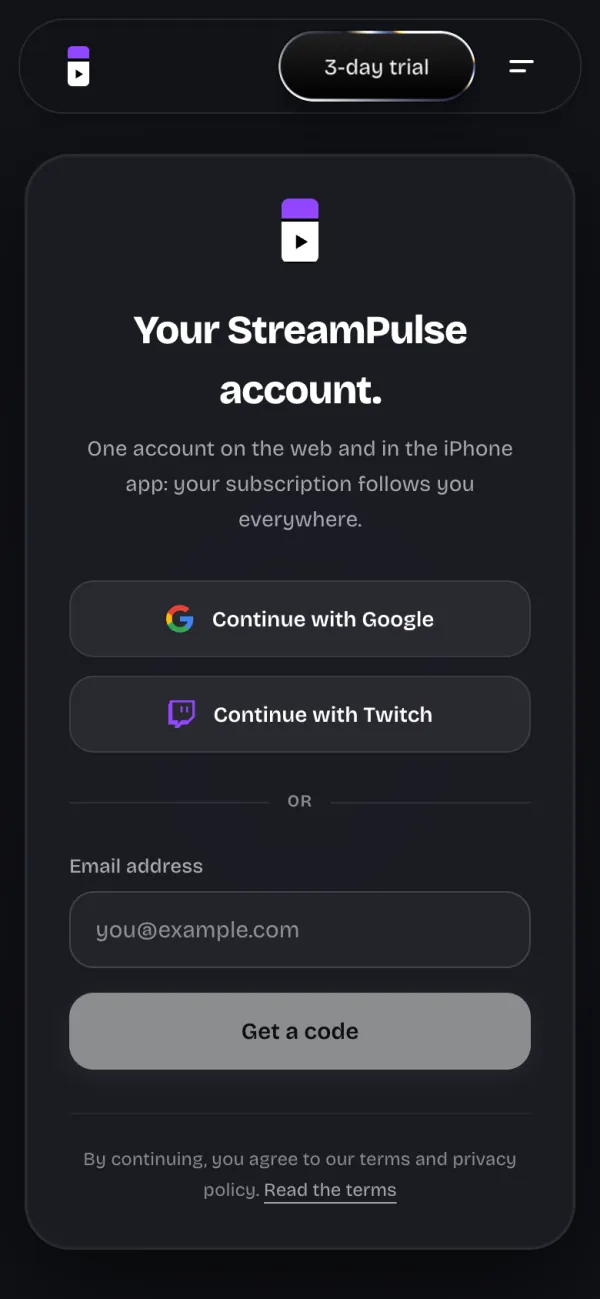
Continue with Twitch shows up when Twitch sign-in is available. The account is the same on the web and in the iPhone app, once it is available.
The 3-day trial#
Each paid plan starts with a 3-day free trial, with everything unlocked. The Start the 3-day trial button opens the payment: the account is asked for at that moment. You are only charged if you don't cancel before the trial ends.
The plans#
- Free: €0, unlimited 720p exports with the StreamPulse watermark.
- Standard: €4.99 a month or €39.99 a year. Unlimited exports with no watermark in 720p, with the full editor.
- Pro: €9.99 a month or €79.99 a year. Everything in Standard, plus 1080p export, the hook, the post caption, the best moment, zooms on key moments and the active speaker.
- Ultra is not on sale yet.
Plans renew automatically until you cancel. Prices can change: the ones on the pricing page are the reference.
Manage or cancel#
In My account, the My plan section shows your plan and its state: Free, Trial in progress, Active, Cancellation scheduled, Payment to fix or Access granted.
- Tap Manage or cancel my subscription.
- On the secure portal, cancel, change your card or download your invoices.
After you cancel, you keep your access until the end of the paid period. A subscription taken on iPhone is managed in Settings > [your name] > Subscriptions.
If the last payment failed, update your payment method to keep your access.